

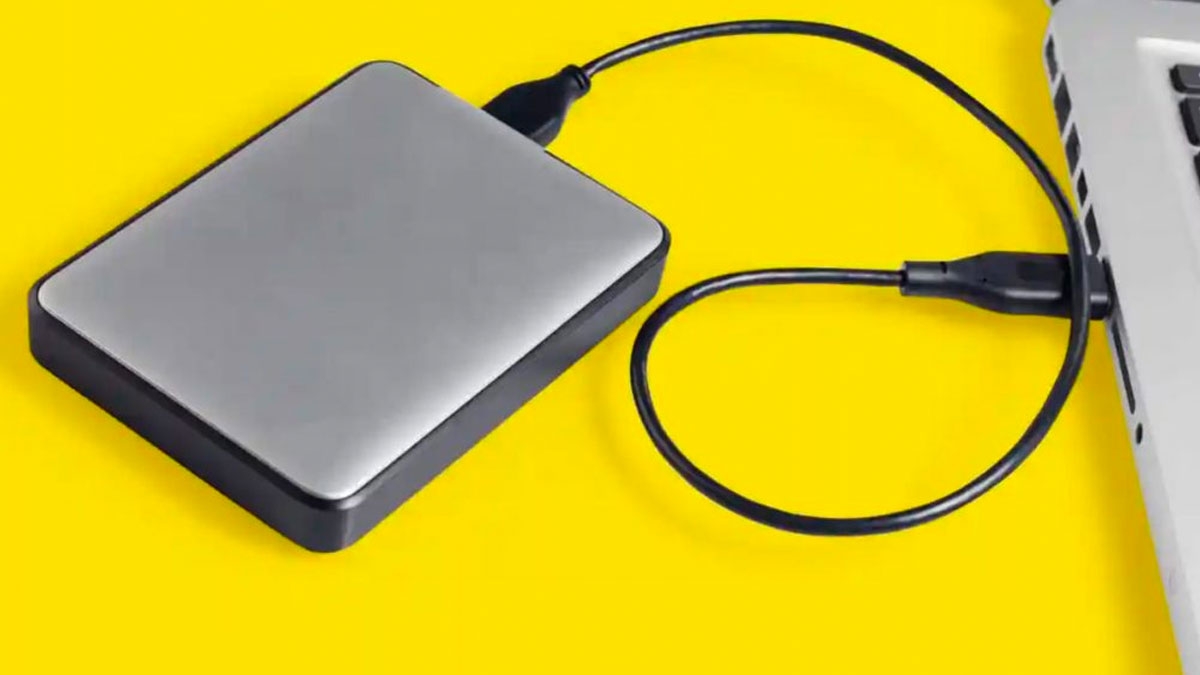
I remember one rainy afternoon when I decided to clean up my desk and finally sort the pile of drives sitting in a small box by my monitor. There were old flash drives with faded logos, a couple of tiny SSDs, two portable hard drives and one mystery drive in an enclosure I barely recognized. I plugged them in one by one and every single one felt like a tiny time capsule from a different version of my tech life.
Some of them still worked perfectly well. That was the trap. A drive can show up in File Explorer or Finder, move a few folders and make you think it still deserves a regular place in your setup. Then you copy a big video file, wait far too long and remember how much better modern storage feels when you stop treating every old accessory like a loyal friend.
I’ll be honest, I have a habit of keeping storage far past the point where it makes sense. Part of it is thrift. Part of it is optimism. I always think an old drive might become useful for backups, travel, or some future project. Then months go by and I keep reaching for faster and more reliable options anyway.
That slow realization changed how I look at storage. Speed matters, of course, but so do trust, convenience and the little mental friction points that build up when a drive feels cramped or flaky. If a storage device makes you hesitate before using it, that hesitation tells you something important.
So these are the drives I’d stop using in 2026, at least for everyday jobs. Some still have a place for low-stakes tasks. Most of them taught me useful lessons. Every one of them helped me understand that good storage should disappear into the background, because the best tech is often the tech you barely have to think about.
1. USB 2.0 Flash Drives
I still find these in drawers, camera bags and jacket pockets. One turned up recently in an old laptop sleeve and I felt a strange little burst of affection when I saw it. Then I copied a few gigabytes of photos to it, watched the progress bar crawl along and remembered why I stopped trusting old flash drives for anything beyond the smallest jobs.
The thing is, USB 2.0 feels painfully slow in modern life. It was fine when most files were documents, MP3s, or a few vacation photos. Today, one phone video can be huge. A game mod folder can be huge. A quick backup before resetting a laptop can be huge. When the drive itself becomes the bottleneck, every simple transfer turns into a waiting session.
There’s also a labeling problem that trips up a lot of people. Many cheap flash drives still look modern on the outside, even when the performance is stuck in the past. That’s why I pay closer attention to USB labels now. The USB-IF recommends clearer consumer names like USB 5Gbps and USB 10Gbps and that simple shift makes shopping a lot less confusing.
I admit I kept one old USB 2.0 stick around for years as a “just in case” tool. It was my emergency drive for documents and printer files. Every time I used it, I felt the same annoyance and every time I told myself it was still good enough. Eventually I replaced it with a newer flash drive and the upgrade felt bigger than the price suggested.
If you only need to move a tiny PDF or a tax form once in a while, an old USB 2.0 drive can survive in that role. For anything larger, a modern flash drive saves time every single week. That’s what pushed me over the edge. I stopped measuring storage by whether it still functioned and I started measuring it by whether it still fit the way I actually use my devices.
2. 5400 RPM Portable Hard Drives For Daily Carry
Years ago, carrying a slim portable hard drive felt smart and prepared. Mine lived in a backpack pocket beside a charger and a tangle of cables. I used it for media files, laptop backups and random downloads I didn’t want taking up space on my computer. It worked and for a while that was enough.
Then I started noticing the little frictions. I’d plug it in at a coffee shop and hear the spin-up sound. I’d wait for the drive to wake up. I’d open a folder and pause again while thumbnails loaded. None of those moments were dramatic, but together they made the whole experience feel older than the rest of my setup.
Mechanical drives still offer a lot of storage for the money and that matters. If you need a cheap archive drive for large files, they still make sense. The problem shows up when you expect one to behave like a modern everyday companion. A 5400 RPM portable drive is built around spinning platters and moving parts, so access times feel slower and the device itself is more sensitive to bumps.
I remember editing a batch of vacation photos from one of these drives while traveling. Every preview felt delayed. Imports dragged. My patience wore thin long before the battery in my laptop did. When I switched the same workflow to an external SSD later, the whole process became calmer. That’s the word I keep coming back to with good storage, calmer.
For daily carry, external SSDs are easier to live with. They’re smaller, quieter and much less nerve-racking when you toss your bag on a seat or pull the drive out in a hurry. You still have to care for them, of course, but the everyday stress level drops fast when you stop carrying a spinning disk around with your work and memories on it.
I still think portable hard drives deserve a shelf in the closet. They’re great for long-term media libraries, old project archives, or a backup copy you update and put away. My 5400 RPM drives moved into that quieter role and they make more sense there. What changed in 2026 is simple, I no longer want one as part of my daily routine.
3. Tiny 120GB And 128GB SSDs
It took me a long time to realize how much stress a tiny SSD adds to a computer. On paper, these drives still sound usable. A hundred and twenty gigabytes feels like real space when you say it out loud. Then you install an operating system, a browser, office apps, a few creative tools and suddenly your storage meter starts glowing in a color you don’t want to see.
Small SSDs became popular for good reasons. They were affordable. They made old laptops feel dramatically faster than hard drives. They helped a lot of people experience solid-state storage without spending much. I recommended them myself to friends who wanted to revive aging machines on a budget.
But software got heavier, updates got bigger and our habits changed. Many people keep cloud sync folders, photo libraries, messaging apps and game launchers running on the same machine. Even if you try to stay tidy, 120GB fills up far faster than it used to. Once an SSD gets crowded, routine maintenance starts to eat your attention.
I had a compact laptop with a 128GB drive that forced me into constant negotiation. Every larger app install meant deleting something else. Big updates made me nervous. I kept moving files to external storage just to buy breathing room. After a while, the device trained me to think about storage before every task and that’s a terrible habit for a tool you want to enjoy.
These drives can still work in very specific roles, like a lightweight Linux machine, a basic office PC, or a spare system for simple web tasks. For your main computer, breathing room matters almost as much as raw speed. When you move to a larger SSD, your laptop or desktop simply feels less argumentative. That is a quality-of-life upgrade I value more every year.
4. Mystery-Brand SSDs With Barely Any Real Product Info
I’ve fallen for the bargain before. You see a huge capacity number, an unbelievably low price and a listing full of confident buzzwords. The photos look polished. The reviews seem decent at a glance. You think maybe you found the hidden gem everyone else missed.
But boy, was I wrong a couple of times. One drive arrived in packaging that looked generic even by budget accessory standards. Another had a model name that barely matched the online listing. I went looking for firmware details, warranty information and a proper support page and the whole thing started to feel slippery. That uneasy feeling is hard to ignore once you’ve had it.
Storage has a trust problem when the product information is vague. You want to know who made the controller, what the warranty looks like and whether the brand has any real support presence. You also want to know if other buyers can identify the exact same model later. Clear product identity matters with storage, because you may depend on that drive for years.
Sometimes the easiest way to avoid disappointment is reading the listing like a cautious editor. Watch for missing specifications. Watch for inconsistent capacity claims. Watch for marketing language that says everything and explains nothing. Reliable brands can still make budget products, but they usually leave a clearer trail behind them.
There was a time when I kept a super-cheap SSD in a drawer as a “temporary” project drive. Every time I plugged it in, I felt slightly tense. I never wanted to trust it with photos, important documents, or anything I would miss. That alone told me the purchase had failed. A drive that makes you nervous has already cost too much, even if the price looked great on the store page.
In 2026, I’d rather buy less capacity from a known brand than chase huge numbers from a drive with a foggy identity. Storage should give you confidence. A real product page, a readable warranty and a recognizable model name go a long way toward that feeling.
5. MicroSD Cards Used As Semi-Permanent Computer Storage
I understand the temptation here because I did this for longer than I should have. A laptop with a microSD slot makes the trick feel elegant. You slide in a card, gain extra space and barely change the shape of the machine. For a while, it seems like you solved a storage problem with almost no effort.
Then real life happens. Downloads pile up. Media files grow. Apps start reading and writing more often than you expected. That tiny card becomes part of your daily workflow and the limitations show up fast. You feel it in slow transfers, awkward app behavior and the constant awareness that your extra storage is sitting on a format designed for portability first.
MicroSD cards are excellent for the right jobs. They shine in cameras, handheld game systems, drones, action cams and other devices built around them. Those roles make sense because the hardware and software are designed with the card’s behavior in mind. A general-purpose laptop or desktop asks different things from storage, especially when you lean on it every day.
I remember keeping a music library and a folder of old videos on a microSD card in a slim laptop. It looked tidy from the outside. Inside, it created small annoyances all the time. The card would get warm, scans took longer than I expected and I always worried I’d forget it was there before troubleshooting a storage issue. Little worries like that add up.
If you need flexible extra space for occasional file movement, a microSD card is still useful. For semi-permanent computer storage, I’d rather use a proper SSD, whether internal or external. The whole setup feels sturdier, faster and easier to trust. Once I stopped pretending the card slot was a long-term storage strategy, my laptop life got much simpler.
6. Old Hard Drives With Unknown History
This is the category I struggle with most, because old hard drives seem so reusable. You pull one from a retired desktop, put it in an enclosure and suddenly it feels productive again. Free storage has a special charm. I know that charm very well.
The trouble starts when you can’t answer basic questions about the drive. How many hours has it been used? Did it spend years in a hot case? Was it dropped during a move? Did it already show warning signs that you forgot about? Unknown history creates a silent risk and storage is one of the worst places to accept silent risk.
My box of spare parts includes at least one hard drive whose label I’ve read dozens of times without learning anything useful from it. I know it came from an old machine. I know it probably still works. I also know I have no memory of its actual condition. That uncertainty changes how I should use it, even if the drive spins up and mounts perfectly.
Older hard drives can still be handy for temporary tasks. You can use them for test data, throwaway media transfers, or projects where the files already exist somewhere safer. That’s the key distinction I follow now. Important data deserves storage with a clear role and a backup plan. Once a drive enters the mystery zone, I stop giving it meaningful responsibility.
I learned this lesson the uncomfortable way after relying on an aging spare drive during a cleanup project. I moved a pile of family videos onto it just to “sort later.” Later took longer than I planned. By the time I revisited the drive, I had spent weeks hoping I had duplicated everything elsewhere. That low-grade anxiety was a useful teacher.
These days, if a hard drive has an unknown past, I treat it like a temporary helper and nothing more. Your future self will thank you for that boundary. Old drives can still earn a little respect, but your best files belong on storage you can actually trust, with another copy close by.